Easy Installation
Get started in minutes inside Houdini.
- One-click install via HPackage
- Protect your render farm budget from silent stalls and crashes.
- Ready to connect and monitor
Stay in control of every Houdini render.
DoneYet gives you a clear view of active Houdini renders, cache jobs, worker machines, progress, ETA, and job status in one place.
Use it locally, connect it to DoneYet Server, or receive Telegram and Discord alerts when a render stalls, crashes, or finishes.
DoneYet focuses on clear visibility, reliable status, and low-friction setup so artists can stay focused while renders run.
Get started in minutes inside Houdini.
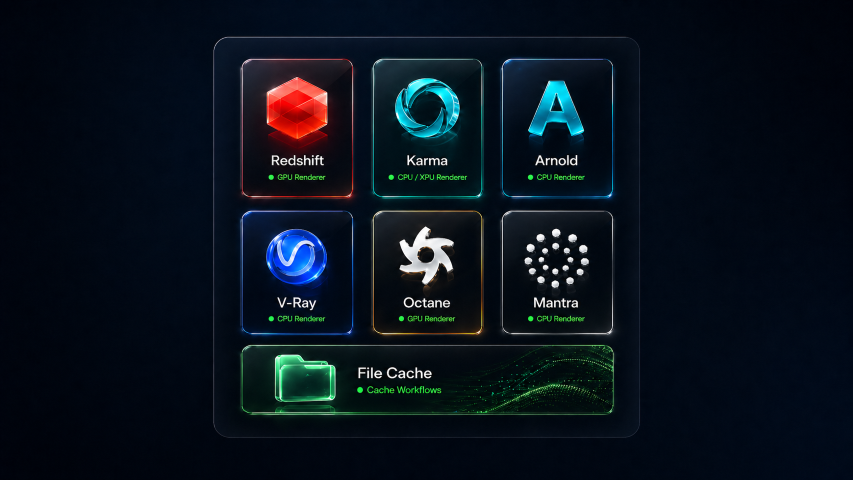
Works across V-Ray, Redshift, Arnold, Karma, Octane, and production render workflows.
Clean, readable, and built for artists. See what matters at a glance.
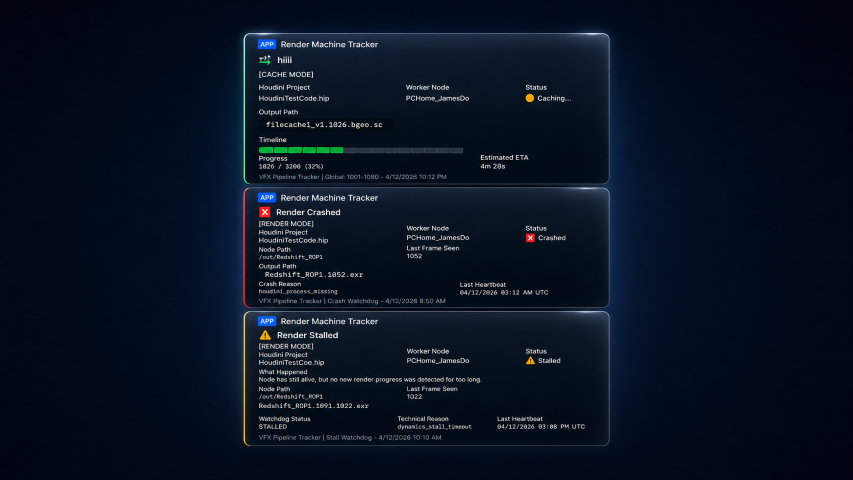
Track jobs, monitor status, and stay reassured during long renders.
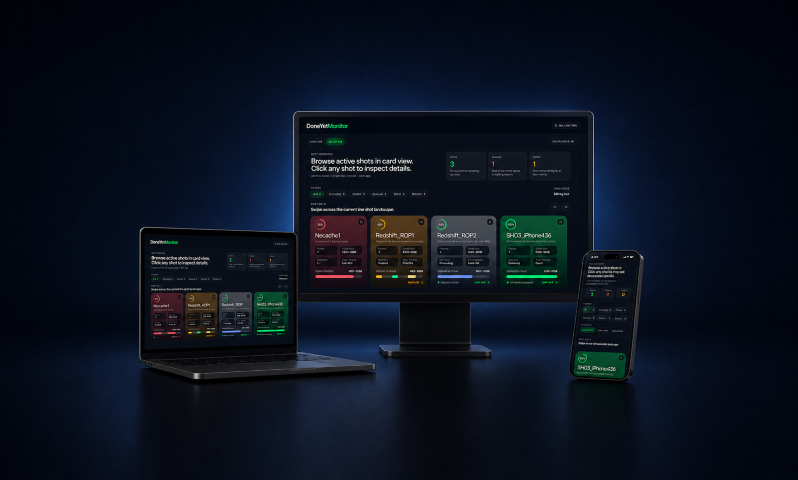
See render progress as it happens. Stay in the loop.
Clear job status and machine activity you can trust.
Minimal impact. Maximum visibility. Built for production speed.
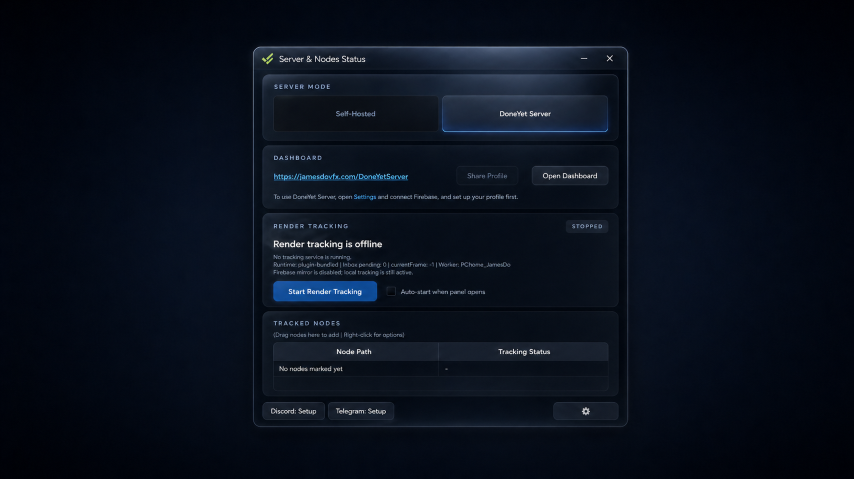
Install, launch, start tracking, and optionally connect alerts for remote awareness.
Drop it in. Enable it. You're ready to go.
Launch the panel and connect to the system.
Add nodes and begin monitoring instantly.
Get notified via your preferred channels.
More renderers and workflows can be supported as the tool evolves.
Stay informed wherever you are.
Pick the setup that fits how you work — start simple and scale when you’re ready.
For solo artists
Runs locally. Simple, private, and easy to start.
For teams & heavier jobs
Shared visibility, remote dashboard, and alerts for active production.
Free: Local / 1 machine / Basic
Pro: Remote / Multi-machine / Alerts
Quick setup help for Firebase, Discord, and Telegram.
Firebase is only needed if you want remote web monitoring. Create or use your Firebase project, copy the project config or database details into DoneYet, save the settings, and validate the connection. Once connected, the web dashboard can display monitoring data beyond a single local workstation.
Create a webhook inside your Discord server or channel settings, copy the webhook URL, paste it into the DoneYet notification settings, save it, and send a test notification. DoneYet will then post render updates to that Discord channel.
Create or connect your Telegram bot setup, get the required bot token or chat connection details, paste them into DoneYet’s Telegram settings, save, and send a test message. Once confirmed, Telegram can deliver lightweight mobile alerts for important render events.
Easy setup, clear status visibility, and practical monitoring support for real render workflows.